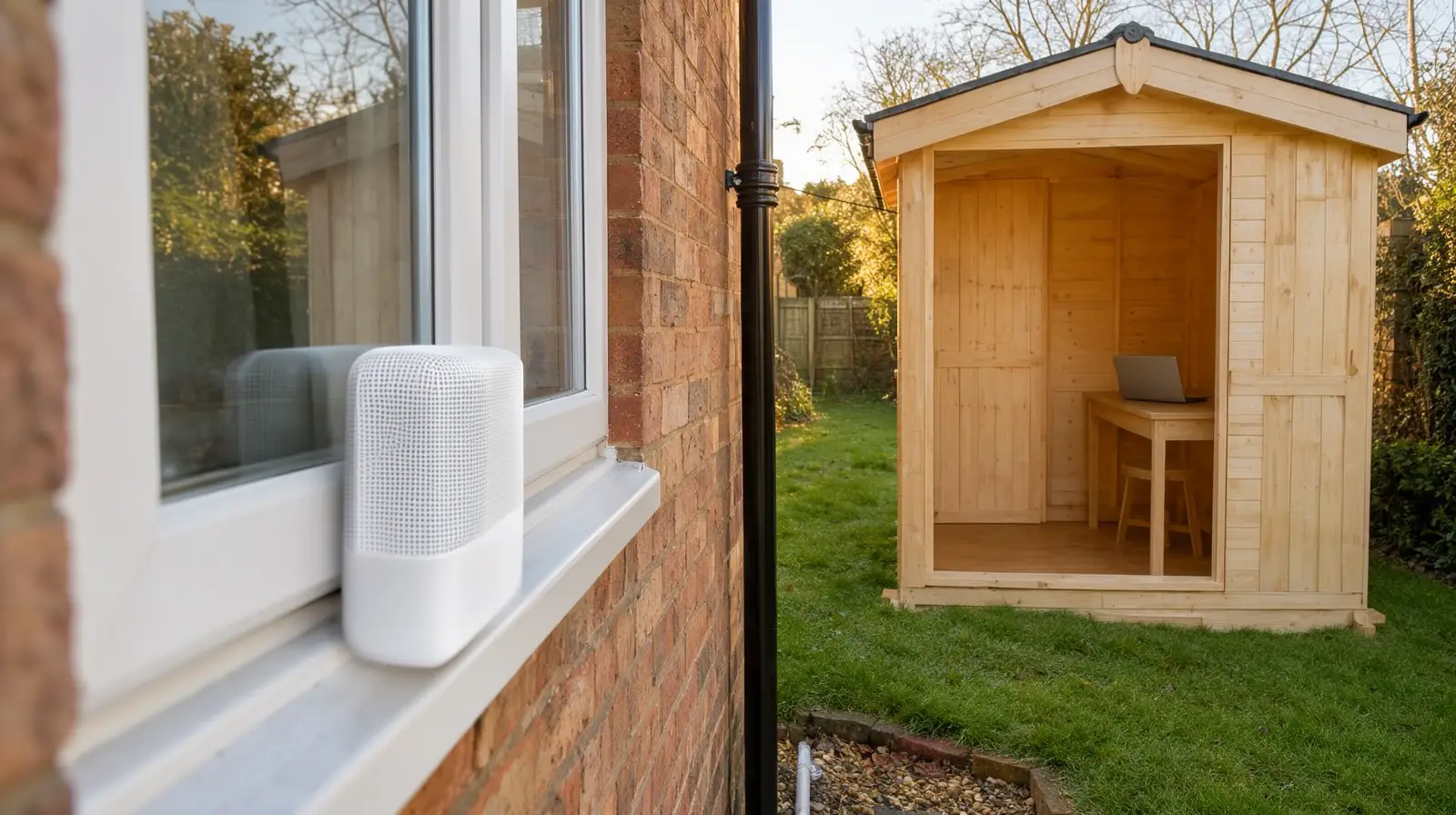
Wi-Fi dead zones are the rooms, corners and outbuildings your router's signal cannot reach well enough to use. Fix the house first: put the router somewhere central and open, then add mesh if a gap remains. For a garden office, a cable or a mesh unit facing it from a back window usually beats a plug-in booster.
Most of the checks below cost nothing and take an evening. Do them in order, and test from the spot where you actually sit, because a strong signal at the back door tells you little about the desk at the end of the lawn.
Why some rooms get no Wi-Fi
Wi-Fi is radio, and the house is in its way. Ofcom's guide to improving your wifi points out that brick internal walls make whole-house coverage harder than hollow walls do, and that water, metal and glass also block the signal. Radiators and fish tanks get in the way, and microwave ovens, baby monitors, fairy lights and cordless phones can interfere with it.
A garden office stacks all of that up. The signal has to leave the house through an outside wall or a glazed door, cross the garden, then get through the office's own walls and windows. If those walls are lined with foil-backed insulation, that is another metal layer in the way.
The frequency band matters too. Ofcom puts it simply: lower frequencies give better coverage, at the cost of lower speeds. In practice the 2.4 GHz band usually reaches further, and the 5 GHz band is quicker near the router.
Find out where the signal really drops
- Walk the house with your phone: open a video, and note the rooms and spots where it starts to buffer. That is your map of dead zones.
- Test a cable: plug a laptop into the router with a network cable and run a speed test, then repeat it on Wi-Fi in the same room. If the wired result is good, the broadband line is fine and the problem is getting the signal around the house.
- Restart the router: Microsoft's Wi-Fi troubleshooting guide suggests restarting the modem and router to make a fresh connection to your provider, and waiting a few minutes for both to power up fully.
- Let Windows check itself: the same Microsoft guide starts with the Network and Internet troubleshooter in the Get Help app. It will not fix a dead zone, but it rules out a laptop fault.
Fix the house first
Ofcom suggests placing the router centrally and off the floor, on a shelf rather than behind the sofa, and away from radiators and fish tanks. If it has more than one aerial, point them in different directions. A router shut in a cupboard by the front door is a common reason the back of the house struggles, and moving it is free.
If placement is not enough, a mesh system is the usual next step. Ofcom says mesh improves signal strength and coverage without reducing the performance of your broadband, while boosters and extenders can affect your speeds and how responsive the connection feels. Each mesh unit needs a power socket, so plan where they will sit before you buy.
Getting Wi-Fi to a garden office
The garden office is a different problem from a weak back bedroom, because there is open air and at least two walls between it and the router. These are the options, roughly from simplest to most permanent.
| Option | Suits you when | Watch out for |
|---|---|---|
| Move the router | The office is close to the house and the router sits at the far end of it | The router has to stay near where the broadband comes in, unless you extend the line |
| Mesh unit at a back window, plus one in the office | The office can be seen from a window in the house | Glass, metal and foil-backed walls in the path; every unit needs a socket |
| Booster or extender | You need light browsing and email out there, cheaply | Ofcom warns they can affect speed and responsiveness, which video calls notice |
| Powerline adapters | The office already has power from the house | Ofcom says results depend on your wiring, so test before you rely on them |
| Network cable to the office | You work out there every day and want it to behave like the house | Needs an outdoor-rated cable and a proper route across the garden |
Mesh is where most people start. Put one unit inside the house at the window nearest the office, and a second unit inside the office, so each one only has a short hop to make. Moving the house unit along by one window is often the difference between a good link and a poor one, so try a few spots before you settle.
Powerline is worth a try when the office runs off the house's electricity, because the data travels over the wiring instead of through the air. Whether it works in your house is only known once you plug it in, so buy from a shop that takes returns.
A cable is the most dependable answer. Ofcom notes that a wired connection is often better than Wi-Fi, and an outdoor-rated cable to the office does not care about glass or walls and is made to cope with the weather. Laying a cable across a garden is groundwork, a job for a qualified installer or electrician. Once it is in, the office gets its own Wi-Fi point and works like another room of the house.
Before you buy anything
- Sit at the office desk with your phone and laptop and note what works: email, a video call, a large download.
- Check whether the problem is the garden gap or the whole house. If the kitchen is weak too, fix the house first.
- Find out what you already own. Your router may support mesh units from the same maker, and an old router can sometimes be reused as an access point.
- Write down your broadband provider and router model. It saves time if you end up asking for help.
How I can help with Wi-Fi dead zones
Wi-Fi and network setup is part of my printer and connectivity help: finding and fixing dead zones, setting up mesh Wi-Fi, sorting out router problems and checking your broadband speed. I am fully mobile: the engineer comes to your home to check coverage room by room and out to the garden office, and router settings can often be checked first by secure remote support. For examples of this work around larger homes, see my pages on connectivity help on the Wentworth Estate and connectivity help along Holyport Road.
Phone and remote diagnosis is free. Standard rates are £25 per 15 minutes, with the first hour capped at £75 for remote support and weekday home visits. At weekends home visits are not capped: the first hour is £75 in SL5 and £100 elsewhere. There is no travel surcharge. No-Fix, No-Fee (t&cs) applies to repair work, but the visit fee still applies once the engineer has arrived. See my published pricing and visit terms before you book.
A sensible next step
Move the router, restart it and walk the house with your phone this evening; it costs nothing. If the garden office still drops out, call (01344) 288177 or book online and choose Wi-Fi & Network Setup. Tell me how far the office is from the house, what it is built from and what you have already tried. If a printer is the device that keeps losing Wi-Fi, my printer offline guide covers that first.
Wi-Fi dead zone FAQs
Will a Wi-Fi booster fix a dead zone?
It can push the signal further, but Ofcom notes that boosters and extenders can affect your data speeds and how responsive the connection feels, while mesh systems improve coverage without reducing broadband performance. Move the router first, then look at mesh if the gap is still there.
Do powerline adapters work in a garden office?
Sometimes. Powerline sends data over your home's electrical wiring, and Ofcom says how well it works depends on that wiring. You only find out by trying, so buy from a shop that takes returns and test at the office desk before you rely on it.
Is 2.4 GHz or 5 GHz better for a garden office?
Lower frequencies give better coverage at lower speeds, so 2.4 GHz usually reaches further and 5 GHz is quicker closer to the router. Many routers broadcast both bands, so test each one from the office desk and keep the one that holds up.
How much does it cost to sort out Wi-Fi dead zones?
Phone and remote diagnosis is free. A home visit to check coverage and set up the network is £25 per 15 minutes, with a minimum of £50 in SL5 and £75 elsewhere and the first hour capped at £75 on weekdays. At weekends the first home-visit hour is £75 in SL5 and £100 elsewhere. Any equipment you choose is a separate cost.